
Educational Apps for Adults: 13 Picks Sorted by How You Learn
Five kinds of sessions, one phone, and no syllabus waiting for you on Monday.
Last updated: Nov 11, 2026
Read time: 14 min


Head of Product at Nibble
In 2023, 28% of US adults aged 16 to 65 scored at the lowest literacy level measured by the federal PIAAC survey, up from 19% in 2017. Numeracy moved the same way, from 29% to 34%. Skills nobody practices after school don't stay where you left them, and that's the quiet argument for educational apps for adults.
Educational apps for adults are mobile and web apps that teach subjects or skills to people past school age, in sessions short enough to fit a routine you already have. If you're reading this, you've probably downloaded two or three already and stopped opening them. The library wasn't the problem. The session was. A course wants 45 quiet minutes, and a game wants 90 distracted seconds.
Most lists sort apps by subject, which tells you nothing about a Thursday night. This one sorts 13 apps by the kind of session each asks for, explains what each kind does to your memory, and includes the options adults use when they're rebuilding basics. If a bit of everything sounds right, start a lesson on Nibble and see which format sticks.
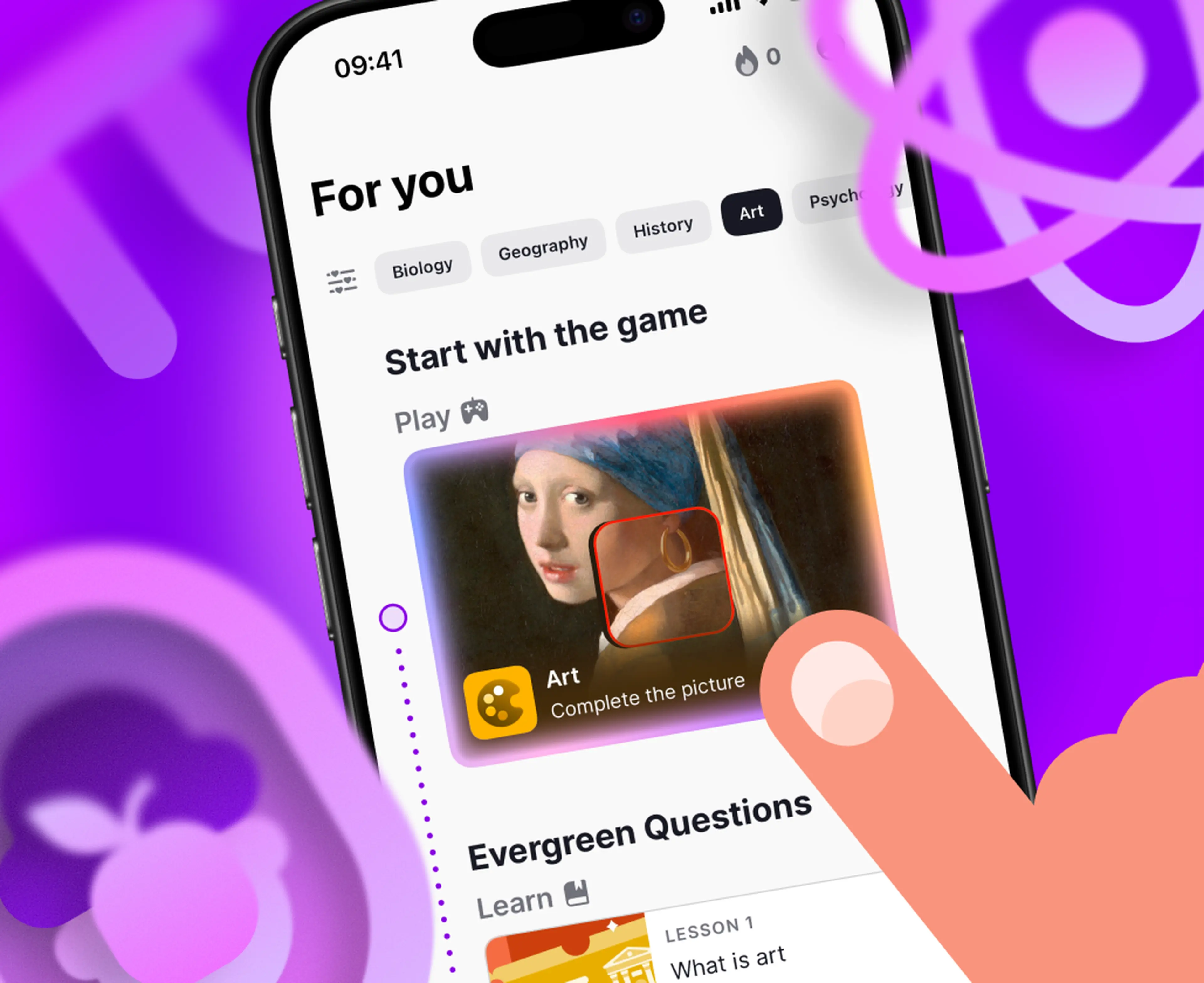
The app for lifelong curious minds
Pick up fascinating facts and deep context across dozens of topic clusters.
Skim this first: What each of these educational apps for adults is really for
Five session types, 13 apps, and one line on where each belongs.
- Educational apps for adults split into five session types rather than subject categories.
- Nibble covers four of those five session types inside one app.
- Coursera and Brilliant reward a cleared hour; Impulse and Elevate reward tired evenings.
- Apps that make you retrieve an answer beat apps that only show one.
- Adults rebuilding reading or math have dedicated tools built for them.
Keep reading for the full guide, including the table that shows which app runs on which memory mechanism.
📱 Ready to become well-rounded without the overwhelm? Try Nibble lessons!
The education category in the app stores was not built for adults
Browse the Education charts on either store, and you'll see why the best educational apps for adults are hard to find there. The category is dominated by products for children, classroom tools, and exam prep, so an adult scrolling it is sorting through software aimed at someone else's homework. The ratings come from a different audience, and an "editor's choice" badge often reflects school use.
Lists don't solve it either. Most roundups of the best learning apps for adults are written with students in mind, and the top education apps in those charts earn their place on download volume rather than on what an adult keeps six months later. Corporate learning & development apps aim at a workplace, academic apps aim at a syllabus, and every new learning app promises to cover both.
That makes the top charts a poor shortlist. Reviews praise innovative teaching apps, but the badge rarely tells you how long one session runs or who it was written for. Three moves work better than browsing:
- Search for the session you want, such as a short lesson, audio episode, or quiz, rather than the subject alone.
- Add the word adult to your search, as in best apps for education adults or learn something new every day app.
- Open the store description and check who the app names as its user, because the best education apps say so in the first two lines.
Nibble's guide to lessons built to finish in a few minutes is a useful reference point for how long a single session should run before it stops fitting your day.
So what counts here? An educational mobile app earns the label when it teaches something, checks what you kept, and ends on its own instead of feeding you the next thing forever.
📱 Slowly upgrading your brain while everyone else scrolls — try Nibble and make the switch.
13 educational apps for adults, grouped by the session each one asks for
The 13 educational apps for adults below run from 90 seconds to a full hour, sorted into five groups and numbered inside each group. Everything here describes what each app offered in November 2026, so confirm current pricing on its store listing before you pay.
Each entry gives you the same four things: what it teaches, how long a session runs, what it asks of you, and who should skip it. If you want one best knowledge app rather than five specialists, the read-in-bursts group is where to start.
Apps you read in short bursts
Text-led apps, where a session is a few screens of reading with something to answer at the end. Good when you have quiet, but not much of it.
1. Nibble. Broad knowledge across 35+ topics in bites of roughly 1.5 to 15 minutes, written for adults rather than students. One app holds five formats: interactive lessons, short video, audio episodes, educational games, and AI Tutor chats with figures including Marie Curie, Leonardo da Vinci, Cleopatra, and Sigmund Freud.
New lessons land weekly, new topics monthly, and the subjects you can move between cover Personal Finance, Criminology, Art, and 30 more. The yearly plan starts with a 7-day trial. Honest limits: there's no offline access and no certificate at the end, so skip it if you need a credential or one specialism.
2. Kinnu. Short reading modules with multiple-choice questions and a spaced-repetition layer the app calls Memory Shield, which brings an idea back days later while it's fading. Free to use, with paid certificates. A session runs about 10 minutes and asks you to answer as you go, so it suits sequential course completion.
It's weaker if you like jumping between unrelated subjects, and it works much like apps that schedule your reviews for you.
3. Imprint. Illustrated, swipeable lessons built around mental models, with chapters of about two minutes. The visual explanation is the strength, and it asks very little of you beyond swiping and the occasional tap. Subject range is narrow next to a general knowledge app, so skip it if you want history, art, and science in the same week.
Apps you listen to while your hands are busy
Audio-led apps for commutes, dishes, and walks. Be warned that audio is the weakest format for retention unless something makes you use the material afterward, which the memory section below gets into.
1. TED. Talks of 5 to 20 minutes across science, psychology, and culture, free. A session asks nothing of you except attention, and nothing checks what you kept. Treat it as exposure rather than instruction, and skip it on days when you want to come away able to repeat something.
2. Yuno. Narrated stories of roughly 10 minutes across eight categories, each with a quiz attached. Almost entirely audio-first, which is the appeal and also the ceiling. Skip it if you prefer reading at your own pace or want to search back through a lesson later.
3. Headway. Nonfiction book summaries in audio and text, 10 to 15 minutes, with habit features attached. Useful for ideas you can put to work this week. It's a poor substitute for the books themselves, so skip it if you want an author's argument in full rather than its shape.
Apps you play when your focus is gone
Game-led apps for the end of the day. The trade is clear: these are the easiest to open and the hardest to get durable knowledge from, because most of them train performance inside the game rather than teaching a subject. The best educational game apps for adults are upfront about that.
1. Impulse. Short cognitive games for memory, attention, and logic, 5 to 10 minutes per round. It asks for speed and full concentration, which is odd for an app you open when you're tired. Skip it if you want subject knowledge rather than a score.
2. Elevate. Daily mini-games built around writing, math, and communication skills, with difficulty that adapts to you. The writing drills are the most transferable part. It gets repetitive after a few months, so skip it if novelty is what keeps you coming back.
3. Duolingo. Gamified language practice in short daily sessions across 40+ languages, and the streak is the real engine. Among apps to learn a language, it's the easiest habit to build, and it sits with the fun educational apps rather than the serious ones. It thins out on the way to real fluency, so skip it if you're past the beginner stage and want conversation.
Apps you sit down and work through
Course-led platforms that want a cleared block and, more often than not, a laptop. They genuinely suit anyone with a credential to earn or one subject to take to real depth.
1. Coursera. University-level courses and professional certificates, with sessions running from 10 minutes to several hours. Most courses are free to audit, and you pay when you want the certificate. It asks for graded work and a weekly rhythm, so skip it if your evenings are unpredictable.
2. Khan Academy. Free academic content across math, science, economics, and history, with practice exercises after each concept. It's the strongest pick for an adult returning to a subject they dropped at 16, and these are the best apps for beginners who want structure without a price tag. Skip it if you want a game.
Among academic apps, it stays closest to a classroom, and if cost is your filter, see options that cost nothing to start.
3. Brilliant. Interactive STEM problem sets where the next step appears only after you solve the one in front of you. Sessions run 10 to 20 minutes and demand a quiet head. Skip it if math makes you tense, because the format gives you nowhere to hide.
📱 Explore STEM, humanities, and more in just 10 minutes a day with Nibble.
Apps for adults rebuilding reading, math, and digital basics
Plenty of adults searching for a learning app for adults aren't adding a hobby. They want to read a work email without strain, handle percentages at the till, or use a computer at a new job. That's ordinary; it's common, and the tools for it are separate from everything above.
1. Learning Upgrade. Short lessons in reading, English, math, digital literacy, financial literacy, and workplace skills, delivered through songs, videos, and games across 28 courses. It was built for adult learners rather than schoolchildren, and many adult-education programs provide it free through ProLiteracy's New Readers Press. Skip it if you're comfortable with the basics already.
Among learn-to-read apps for adults, Leamos is worth knowing too. It teaches Spanish-speaking adults to read and write in Spanish first, which makes the move into English far less steep. For math specifically, Khan Academy in the sit-down group covers the same ground with more practice.
And a nonprofit like ProLiteracy can connect you with a local literacy council, where free one-to-one tutoring is often the better first step than any download.
What each kind of app does to your memory
The gap between these apps has less to do with content quality than with the mechanism each one runs on, and the mechanism predicts what you keep. Active recall means answering a question before the answer appears, which forces your brain to retrieve the information rather than recognize it.
That single move is why two apps can teach the same fact and leave you with different amounts of it a week later. Among the top learning apps on this page, four run on it.
Now the uncomfortable part. The apps that feel most productive while you use them, meaning video and audio, usually leave the least behind, because nothing asks you to produce the material again. Drill games have their own catch: repeating a timed task makes you better at that task, and the gain rarely travels outside the game.
Short sessions have an edge here too, and Nibble's breakdown of why short sessions hold better than long ones is worth a read before you commit to a 40-hour course.
The table below names each mechanism, what it makes you do, which apps on this list use it, what it's best at, and where it falls short.
| Learning mechanism | What the app makes you do | Apps on this list that use it | Best at | Where it falls short |
|---|---|---|---|---|
| Active recall | Answer a question before the answer appears | Nibble, Brilliant, Duolingo, Kinnu | Moving facts from recognition into retrieval | Nothing sticks if you skip the quiz |
| Spaced repetition | Meet the same item again days later, on a schedule | Kinnu, Duolingo | Holding vocabulary, dates, and formulas for months | Dull unless you care about the item |
| Worked problems | Solve one step before the next appears | Brilliant, Khan Academy | Building procedures you can repeat alone | Slow, and needs a quiet head |
| Elaboration | Explain or connect an idea to one you hold | Nibble AI Tutor chats, Headway | Understanding rather than recall | Hard to tell if you got it right |
| Passive input | Watch or listen while doing something else | TED, Yuno, Headway audio | Exposure to subjects you'd never pick | Little stays without a later retrieval step |
| Timed drill | Repeat a task to beat your own score | Impulse, Elevate | Speed and attention inside that one task | Gains rarely transfer outside the game |
📱 Who says learning can't be fun? Try Nibble's educational games and thrive!
What one good lesson really contains
So what is the best learning app for someone who left school 20 years ago? Judge a lesson instead of an app. Good learning apps make you produce an answer, and good educational apps close the session rather than rolling you into the next thing. Judging one lesson takes four minutes on a trial, and it tells you more than a week of browsing.
Open any lesson in any of the top educational apps above and look for four things:
1. One idea, stated plainly. A good lesson says what it's about on the first screen. When five ideas are crammed together, you'll finish it and keep none of them.
2. A concrete example that carries the idea. A picture, a number, or a short story does the work. When it's missing, you get definitions that evaporate by lunch.
3. A moment where you produce an answer. Typing, choosing, or saying something out loud counts. When a lesson only shows you the answer, recognition is all you walk away with.
4. A clear ending. The session closes and leaves you somewhere. When it rolls into an endless feed instead, you've traded one scroll for another.
Then run the test. Open one lesson, close the app, and two minutes later try to say the main idea out loud. If it won't come, the format is wrong for you, no matter how good the reviews are.
Learning with nothing attached to it is still worth the time
Nearly every article on this topic assumes adult learning has to point at a job, a certificate, or a language you'll use abroad. Plenty of adults want something smaller and more honest: to understand the thing a friend mentioned at dinner, or why a painting matters, or how compound interest quietly works against them, or the name of the plant they pass every morning. There's an app for that last one: Botanapp identifies a plant from a single photo and shows how to water and place it, turning a walk you already take into a two-minute lesson.
That kind of learning survives longest, because interest does the job that discipline has to do everywhere else. The best apps for learning with nothing attached are the ones you'd open on a slow Sunday without telling yourself to. Nobody abandons a subject they were curious about in the first place.
What you get back is better conversations, fewer references you nod along to, and phone time that leaves you feeling sharper than when you picked it up. Nibble calls this knowledge that spreads in more than one direction, and it compounds faster than people expect.
Readers usually weigh a broad knowledge app against two alternatives. A course platform gives you structure and asks for a commitment most evenings can't absorb. An AI chatbot answers in seconds, with no structure, no source you can check, and nothing that makes the answer stay. A written lesson sits between them: someone decided what mattered, put it in order, and built in a question that makes you use it.
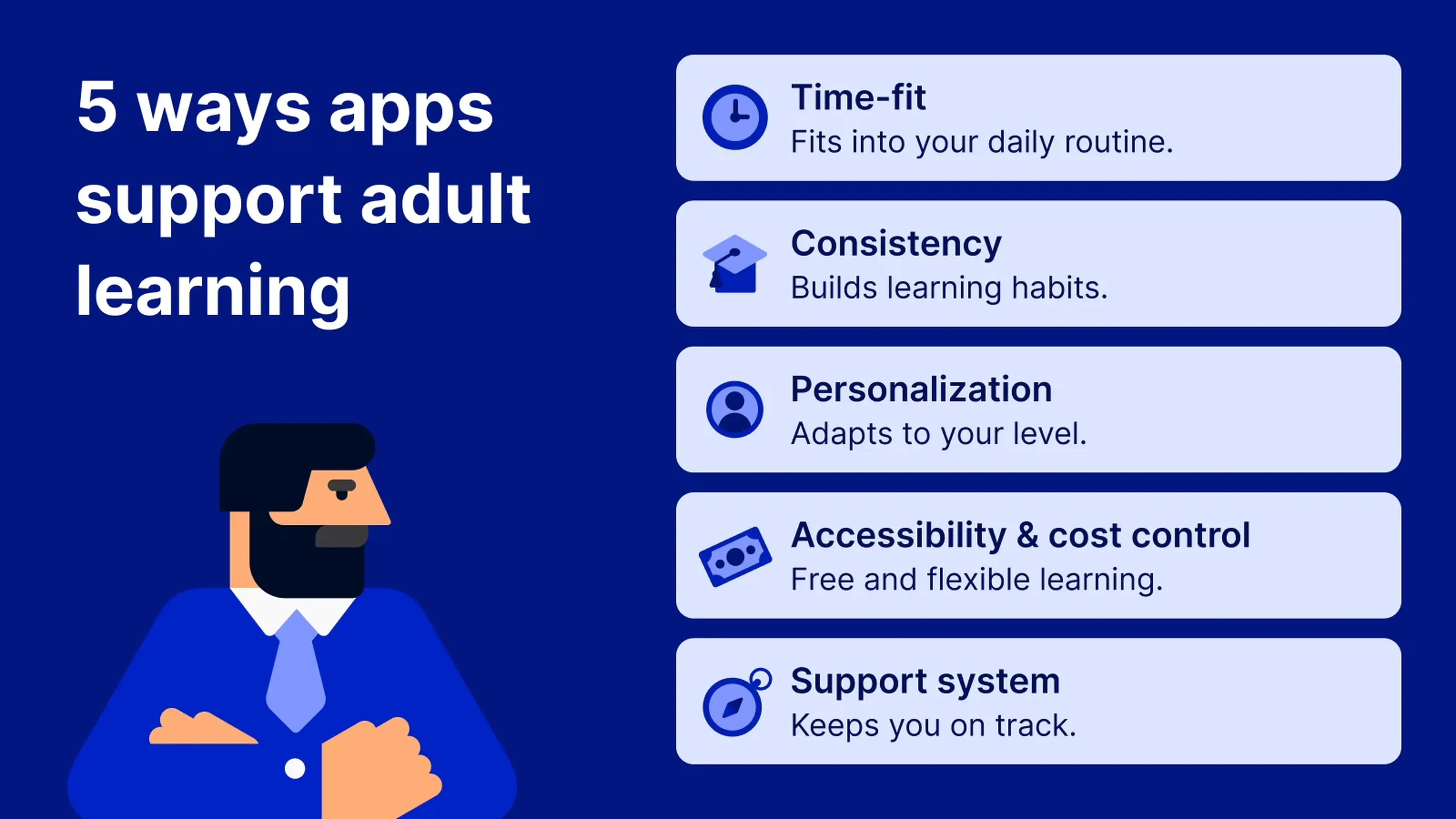
Why Nibble works for everyday learning
Among education apps for adults, Nibble is built around the session rather than the syllabus, which is what the list above keeps coming back to. That makes it the best app for learning a bit of everything in the gaps you already have. The app has passed 10 million downloads and holds 670+ pieces of content across 35+ topics.
- Personalized content: Nibble asks what you're curious about at sign-up, then builds a For You feed that mixes formats, and you can change your interests whenever they shift.
- Daily streaks: a light nudge that turns a download into a daily learning app, getting you back for one short session on busy days without making it a chore.
- Topics with range: Personal Finance, Logic, Art, Criminology, Space, Psychology, and 30 more, so you can switch subjects without switching apps.
- Games that teach: Trivia Quiz and Match the Pairs put a Personal Finance or Logic lesson into a round you'd play while waiting for coffee.
- Light lessons: bites from 1.5 to 15 minutes in text, video, audio, game, or AI Tutor chat, so the format matches your energy instead of fighting it.
What learners say after a few weeks of short lessons
Three people who use the app describe what changed, in their own words.
Richard, a car salesman and dad of two, swapped a morning Facebook habit for five minutes of history and art: "I can't say I've used the knowledge as such, but I can tell the difference between a Monet and a Munch."
Fredys Caballero, a business data analyst, got through 30 art lessons without planning to: "The 30 lessons happened gradually. Day by day, I'd read a new lesson, and eventually, I looked up and realized I'd hit that number."
Shae Legan, a registered nurse on rotating shifts, uses it as a morning reset: "I've found a way to start my day with a sense of curiosity."
Pick one topic, one slot, and start with Nibble tonight
Three decisions, and you're done comparing learning apps for adults: name the subject you'd read about for free, pick the session type that matches your worst evening, and find the ten minutes already going to a passive habit.
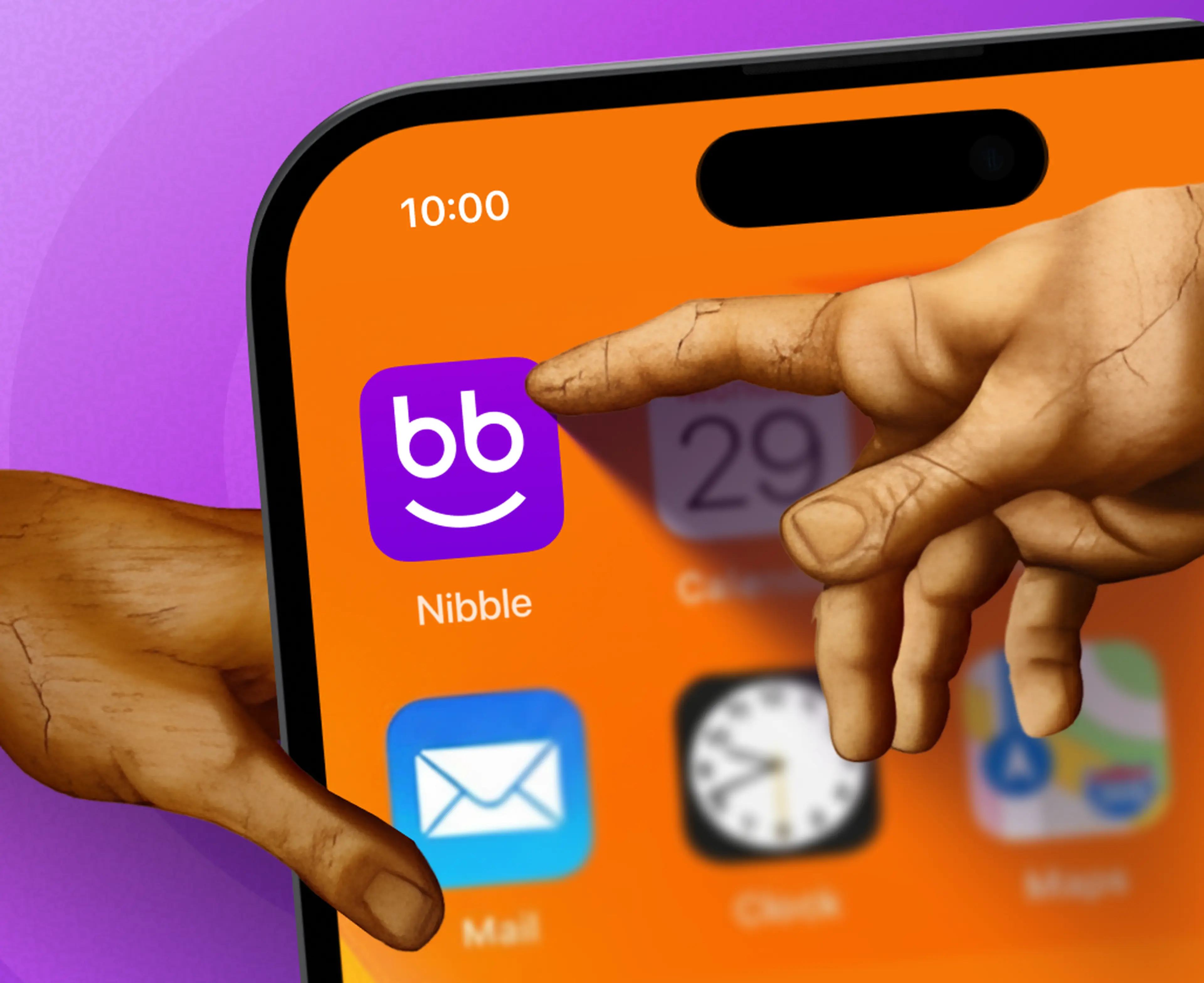
Don't let a busy schedule waste your curiosity
Reignite it with Nibble
If your answer to the first one was "a bit of everything", open Nibble and start with a Personal Finance lesson or a round of Trivia Quiz tonight, on the 7-day trial that comes with the yearly plan.
📱 Expert content, microlessons, gamification, cross-platform, and worth every minute — try Nibble and check every box.

Frequently asked questions on educational apps for adults
What is the most used educational app?
Duolingo holds that spot on most measures, topping the education category on both app stores year after year and running more daily sessions than any rival. Popularity tracks habit design more than teaching quality, though. A language streak is easy to measure and easy to sell, so apps built around one crowd the charts while quieter knowledge apps never surface there.
What are the 10 best educational apps?
Any ten-app shortlist worth reading gives you one pick per need instead of ten of the same kind: a language app, an academic one, a coding one, a creative one, and a broad-knowledge one. Names you will meet outside this list include Udemy, Babbel, Busuu, Quizlet, and Deepstash. Choose by the gap in your week.
What are some good literacy apps for adults?
Look for three things: audio that reads every screen aloud, speech slow enough to follow, and no timer on any exercise. USA Learns is a free site for adults building English, and most literacy councils hand out licenses for paid tools at no cost to the learner. A tutor alongside the app helps on the weeks' motivation dips.
What are the best free educational apps?
Some of the strongest free options sit outside the app stores. A library card unlocks Libby for ebooks and audiobooks, Kanopy for documentaries, and often Gale or LinkedIn Learning courses as well. University OpenCourseWare sites post full lecture series with no sign-up at all. None of it is marketed at you, which is why most roundups leave it out.
Which educational app is totally free?
Check the store listing before you trust the word free. Both stores print an In-App Purchases line under the download button, and anything carrying one will ask for money sooner or later. TED and Khan Academy show nothing there. Most other picks are freemium, with the useful half of the library sitting behind a subscription. Nibble uses this approach, too. Its 10–15-minute lessons, fun games, and other content formats help you learn new things without feeling overwhelmed.
What study app is 100% free?
Anki is the usual answer for flashcards. It costs nothing on desktop and Android, syncs for free, and has no premium tier, though the iPhone version carries a one-time fee that funds the project. Quizlet's free tier still covers making and studying your own sets. Both are study tools rather than courses, so bring your own material.
Is Khan Academy really free?
Yes. It runs as a nonprofit funded by donations and grants, with no ads, no paywalled courses, and no subscription at any point. The one paid piece is Khanmigo, its AI tutor, sold separately to families and schools. Everything else, including practice exercises and progress tracking, stays open once you create an account.
What is the #1 learning app?
There is no single answer, because every ranking measures something different: downloads, store rating, editorial taste, or revenue. A chart position tells you how many people installed an app, not how many kept opening it. Run your own test instead. Use two apps for two weeks, then keep whichever one you reached for without planning to.
Published: Feb 20, 2026
 128K+ ratings worldwide
Keep your curiosity sparked with Nibble
Join 10M+ people and discover bite-sized ideas across 35+ topics with an all-around knowledge app
