
Apps That Make You Smarter: 15 Tested Picks for Daily Use
Your phone is already in your hand — here’s how to use it better.
Last updated: Nov 19, 2026
Read time: 16 min


Head of Product Marketing at Nibble
Kateryna Zabigailo is Head of Product Marketing at Nibble. She leads product marketing with a focus on growth, monetization and growth hacks that hold up in practice.
The average person spends over two hours a day on social media. TikTok alone accounts for nearly 90 minutes of that. What if 15 of those minutes went somewhere useful?
Replacing one short scroll session with an app built for learning compounds fast. Fifteen minutes a day adds up to 91 hours of focused knowledge by the end of the year. That's two full college courses worth of brainpower, built into the gaps you already have in your day.
Your smartphone can either drain your attention or train your brain. The good news is that there are dozens of apps that make you smarter, including language-learning platforms like Duolingo and brain-training games like Lumosity. The real magic, though, happens when learning is short, interactive, and easy to slot into a real day.
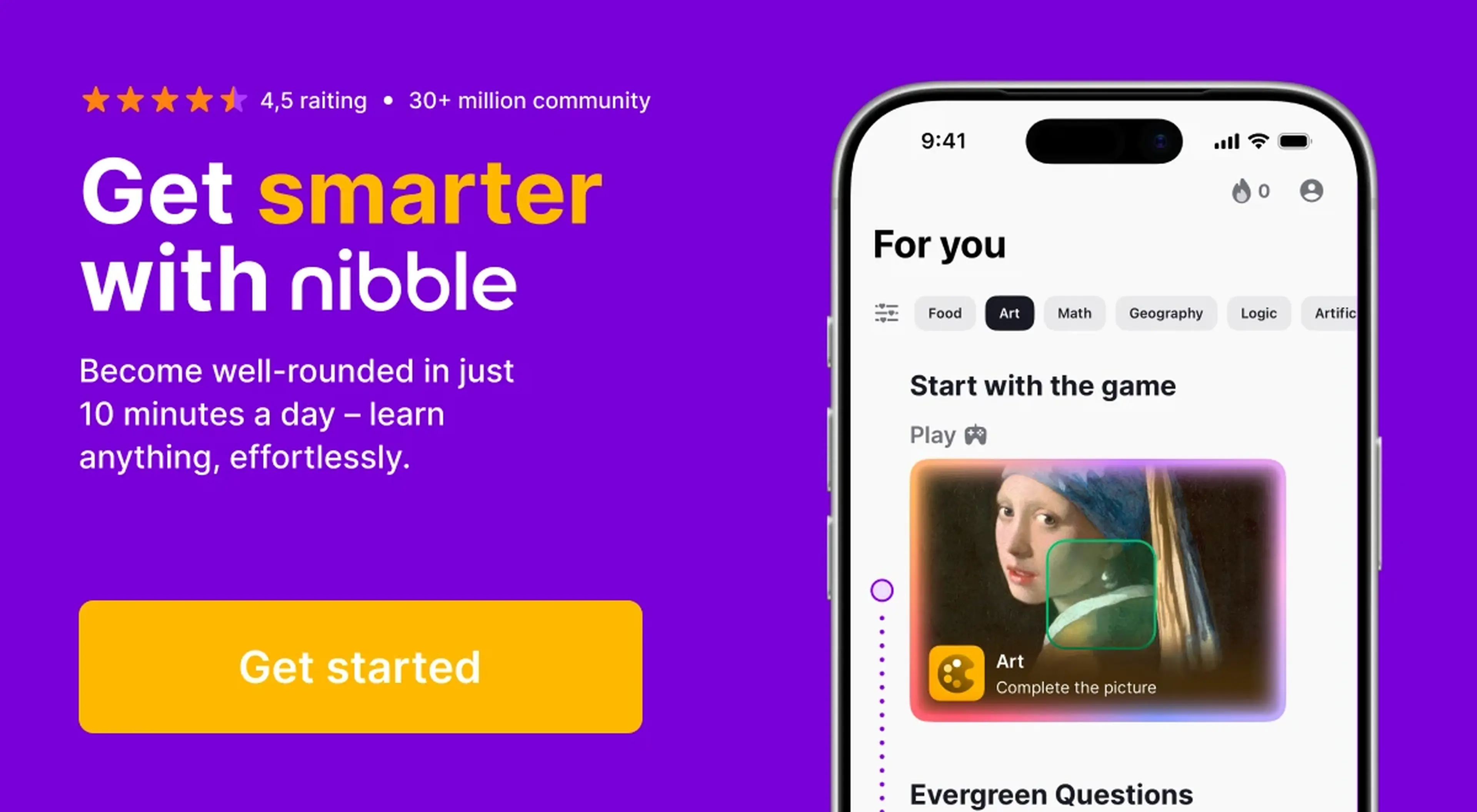
That's exactly what Nibble does. It delivers bite-sized lessons on topics like art, math, philosophy, and history, so that you can build knowledge in minutes, not hours. Over 4 million people have already downloaded it, and it ranks in the Top 15 Free Education Apps on the App Store in the US, Canada, and Australia.
Let's start with a quick review.
TL;DR: 8 apps that make you smarter right now
Here is the strongest pick in each category before the full list:
- Nibble: bite-sized lessons on general knowledge and critical thinking.
- Duolingo: the most popular app for learning a new language.
- Lumosity: brain training games developed with neuroscientists.
- DailyArt: a daily dose of art history and cultural knowledge.
- Brilliant: interactive problems in math, science, and computer science.
- Blinkist: nonfiction book summaries you can read or listen to in about 15 minutes.
- Anki: spaced-repetition flashcards for memorizing anything.
- Coursera: university courses you can audit for free.
Between them, these apps cover memory, problem-solving, languages, math, and general knowledge through short lessons, quizzes, flashcards, and interactive formats. All of them are available on iOS and Android.
Quick comparison of the apps that make you smarter
| App | Best for | Price |
|---|---|---|
| Nibble | General knowledge | Trial; from about $11.99/mo |
| Duolingo | Languages | Free with ads; Super about $12.99/mo |
| Lumosity | Brain training | Limited free games; Premium about $11.99/mo |
| DailyArt | Art history | Free with ads; Premium about $5.99/mo |
| Brilliant | Math and science | Limited free lessons, 7-day trial; about $24.99/mo |
| Blinkist | Book summaries | 7-day trial, one free summary a day; about $79.99/yr |
| Anki | Flashcards | Free on desktop and Android; iOS $24.99 once |
| Coursera | University courses | Free audit, 7-day trial; Plus about $59/mo |
*Prices may vary by region and current promotion. Check the price in the app before purchasing.
15 apps worth your time if you want to get smarter
Not every learning app is built the same. Some focus on a new language. Others target brain training or trivia. This list covers the strongest options across every category, so you can pick what fits your life right now.
Each app was used for about two weeks, around 30 minutes a day. Lesson quality, how easy it was to keep a daily habit, what the free version includes, and what the paid plan costs.
1. Nibble: Best for daily general knowledge
Serious about getting smarter without burning the midnight oil? Nibble's got you. It's an all-around knowledge app with one goal: That busy adults learn better when content is short, interesting, and fun.
Each session on Nibble takes under 10 minutes. You can work through a text lesson with interactive quizzes, watch a short video, or listen to an audio episode during your commute; play an educational geography game, or even have a real-time chat with someone from history, like Cleopatra or Darwin. The topic range covers over 20 subjects in philosophy, math, art history, biology, personal finance, and criminology, to name a few.
What separates Nibble from most educational apps for adults is how it fits into real life. You don't need a dedicated study block. You just need five minutes and a phone.
Why it works:
- Bite-sized lessons build real knowledge, not just trivia recall.
- Multiple formats, including text, games, video, and audio, so you can match the lesson to your mood.
- Available on iPhone and Android, with a free version to get started.
- App of the Day in over 46 countries, including the US, the UK, Canada, and Australia.
2. Duolingo: Best for language learning
Learning a new language is one of the most well-researched ways to build cognitive abilities. It strengthens memory, sharpens attention, and builds mental flexibility over time.
Duolingo uses short, gamified lessons with streaks and rewards to keep you coming back. You can pick up Spanish, French, Japanese, or more than 40 other languages. And it's all at no cost in the free version. It's available on both iOS and Android and has been downloaded over 500 million times worldwide.
- Best for: beginners starting a new language
- Price: free with ads; Super about $12.99 a month or $83.99 a year
3. Lumosity: Brain training games backed by science
Lumosity was built with input from neuroscientists to target specific cognitive skills through structured brain training games. The app covers memory, attention, speed, problem-solving, and flexibility, each measured and tracked over time.
The game formats are engaging and mature, and the progress tracking gives you a real sense of how and where your brain is improving. The free version offers a limited set of games, with more available through a subscription.
- Best for: people who like structured games and progress charts
- Price: free (limited games); Premium about $11.99 a month or $59.99 a year
4. Khan Academy: Free courses on almost anything
Khan Academy is one of the most trusted free platforms for structured, in-depth learning. It covers a multitude of topics, like math, science, economics, programming, and history, through short video lessons and practice exercises.
It's particularly strong for anyone who wants to go deep on a subject rather than skim the surface. Everything is free, available on iPhone and Android, and organized clearly enough to follow at your own pace.
- Best for: going deep on school and early college subjects
- Price: free
5. TED app: Ideas worth learning
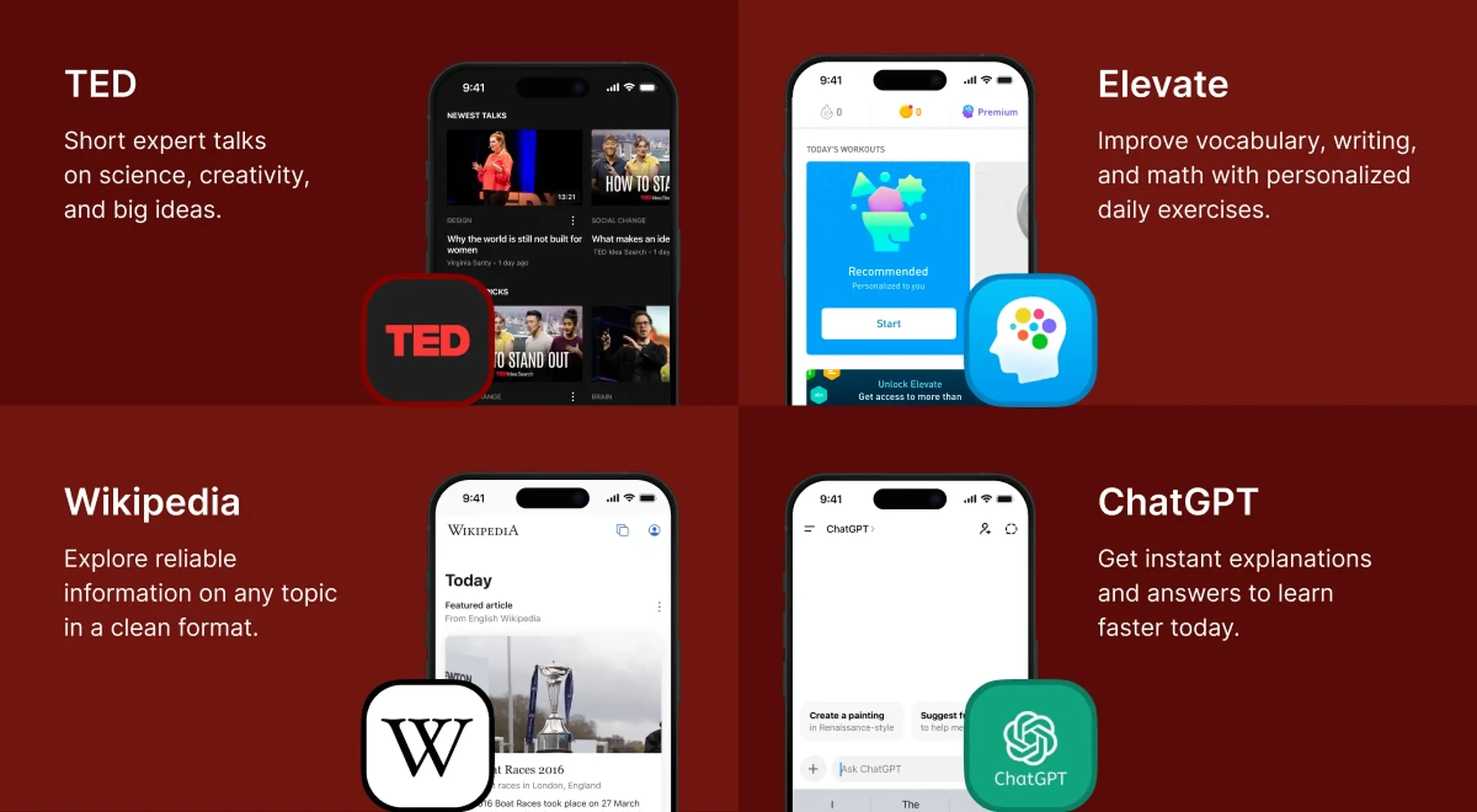
The TED app puts thousands of TED Talks from scientists, entrepreneurs, educators, and thinkers in one place. The talks are six to 20 minutes, which is long enough to cover a real idea yet short enough to watch on a lunch break.
Subjects range from cognitive science and mental health to climate, creativity, and culture. If you're the kind of person who learns best by hearing experts explain things clearly, the TED app delivers that without any clutter.
- Best for: exploring new ideas on a break
- Price: free
6. DailyArt: Art history in a daily habit
DailyArt offers a work of art and its backstory each day. It takes about two to three minutes to learn about the artist, the time period, and why it's significant while building your cultural and historical knowledge with little effort.
It's one of the most underrated general knowledge apps on both iOS and Android, and the free version gives you daily access to the full archive.
- Best for: building cultural knowledge in two to three minutes a day
- Price: free with ads; Premium about $5.99 a month or $34.99 a year
7. Elevate: Vocabulary and communication skills
Elevate focuses on real-world language skills through reading comprehension, writing clarity, vocabulary, and mental math. The app personalizes training based on your performance and adapts as you improve.
It's especially useful for professionals who want to sharpen their communication skills. A free version is available, with additional training sets through a subscription.
- Best for: professionals who want sharper writing and vocabulary
- Price: free version; Pro about $9.99 a month or $39.99 a year
8. Memrise: Language learning with real conversations
Memrise takes a different approach to language learning than Duolingo because it teaches using videos of native speakers involved in real-life scenarios, versus teaching through textbook examples of language. The Memrise app can be downloaded from both the iPhone and Android stores for free.
- Best for: learners who want to hear how native speakers talk
- Price: free; Pro about $24.99 a month or $61.99 a year
9. Quora: Learning through questions
Quora stands as more of a knowledge-on-demand tool than a learning app. You can search for answers on anything. Ask how black holes form or why people procrastinate, and get answers from researchers, practitioners, and experts who know all about the subject.
It's not as guided as the other apps on this list, but used intentionally, it builds general knowledge fast. Think of it as a smarter alternative to falling down a social media rabbit hole.
- Best for: curious people who like learning by following questions
- Price: free
10. Wikipedia app: The world's largest knowledge base
Wikipedia's mobile and tablet apps provide a much cleaner and more readable version of the desktop site. It continues to be one of the quickest ways to gain access to a reliable source of information regarding any type of fact-based question (historical, scientific, or biographical).
The random article function on the app allows you to have a random article from Wikipedia displayed each day, which creates a fun daily habit: 365 new random articles over the course of one year can be a fun way to grow your knowledge base quickly!
- Best for: quick fact-checking and daily random reading
- Price: free
11. Brilliant: Best for math and science
Brilliant teaches math, science, computer science, and data analysis through interactive problems. You solve a puzzle first and read the explanation after, which makes concepts stick better than watching a lecture. Lessons take about 15 minutes.
- Best for: adults who want to rebuild math and logic skills
- Price: free trial; about $24.99 a month or $149.99 a year
12. Blinkist: Best for book summaries in audio
Blinkist condenses nonfiction books into summaries you can read or listen to in around 15 minutes. The catalog covers business, psychology, science, and personal development, so it suits a commute or a lunch break.
- Best for: commuters who want key ideas from many books
- Price: free trial; about $79.99 for the first year, renewing at $99.99
13. Anki: Best for memorizing anything
Anki is a flashcard app built on spaced repetition. It shows each card right before you would forget it, which makes it a favorite for vocabulary, medical terms, and exam prep. You build your own decks or download shared ones.
- Best for: students and anyone memorizing facts long term
- Price: free on Android and desktop; the iOS app is a one-time $24.99
14. Coursera: Best for university courses
Coursera hosts courses from universities and companies on topics from data science to history. Many courses can be audited for free, and graded programs lead to certificates. Courses run for weeks, so they work best as a longer commitment than a quick daily session.
- Best for: learners who want a structured course from a real institution
- Price: free to audit; Coursera Plus about $59 a month or $399 a year
15. Book summary apps like Headway: Faster access to key ideas
Apps like the Headway app are built around nonfiction book summaries and microlearning, giving you the core ideas from a book in 15 minutes rather than 15 hours. They work best alongside real reading, moving across a wide range of ideas in a short amount of time. They're one of the most practical formats available.
- Best for: busy readers who want the main ideas of many books
- Price: free trial; Headway about $12.99 a month or $89.99 a year
*Note: Prices are in USD and may change or vary by region, platform, and current promotion. Check the price in the app before purchasing.
What to look for in an app that claims to make you smarter
Not every app that promises to make you smarter works in the same way. Before choosing one, look at what it actually asks you to do and what kind of improvement you expect from it.
Learning format. Short lessons matter if you want to replace a few minutes of scrolling without creating a new study block. They are easier to fit into a busy day, but the trade-off is less depth than a full course or longer lesson.
Active practice. Quizzes, recall exercises, games, and feedback matter if you want to remember what you learn rather than simply consume information. The trade-off is that active learning takes more effort than watching or listening passively.
Content depth. A broad mix of topics works well for people who want to build general knowledge and curiosity. If you need to master a professional subject or prepare for a qualification, however, a structured course platform is usually a better fit, even if it takes more time.
Evidence behind the claim. An app should be clear about whether it teaches knowledge, trains a specific cognitive skill, or simply provides an engaging mental workout. This matters if you're choosing an app specifically for memory, attention, or problem-solving; the trade-off is that stronger evidence and more targeted training can mean a narrower experience.
Structure and progression. Guided paths, levels, and progress tracking matter if you struggle to stay consistent without a clear next step. The trade-off is less freedom to jump between whatever interests you in the moment.
Variety of subjects. A wide range of topics matters if your goal is to become more knowledgeable across different fields rather than mastering one. The trade-off is specialization: an app covering dozens of subjects usually cannot give the same depth as a dedicated language, math, or professional-learning platform.
Time and access. Free access, mobile availability, and lessons that fit your actual routine matter when cost or convenience is the main barrier. The trade-off is that free or highly flexible apps may offer fewer advanced features, while richer platforms can require a subscription or more dedicated study time.
If you're asking, what apps can help me build skills and improve over time? Look for an app that gives you regular practice, tracks your progress, and gradually increases the difficulty. A good learning app should make it easy to return tomorrow and continue from where you left off.
How to choose a learning app based on what you want to learn
The best learning app depends on the kind of knowledge or skill you want to build. Someone interested in science needs a different learning experience from someone who wants to improve their vocabulary or understand more about art and history. Before downloading another app, match its content and format to your goal.
For general knowledge: Choose an app that covers several subjects and introduces new ideas regularly. Nibble and DailyArt are useful options if you enjoy learning about different fields in short sessions. They're also worth considering if you're looking for free knowledge apps that make everyday learning more accessible.
For science and academic subjects: Khan Academy offers structured lessons in biology, chemistry, physics, and other school and college subjects. It's a strong starting point when comparing the best apps to learn science, especially if you want explanations and practice exercises rather than isolated facts.
For language learning: Duolingo and Memrise help you build vocabulary and practice everyday conversations. Look for lessons that include listening, speaking, and repetition. If you're collecting healthy language app ideas for a balanced learning routine, combine short vocabulary exercises with real conversations, reading, and listening practice.
For deeper online learning: Platforms such as Khan Academy offer more structured educational content, while TED gives you access to expert talks on a wide range of subjects. These options are useful when comparing the best apps for online learning and looking for something more substantial than daily trivia.
For quick daily discoveries: Microlearning apps such as Nibble work well when you want to learn something new without committing to a full course. Short lessons across different subjects make them a practical choice for adults who want to build general knowledge alongside work and other responsibilities.
Thinking about your goal first makes it easier to find an app that fits your routine. The best app to learn with is one that offers the right balance of subject depth, practice, and convenience.
How to evaluate a cognitive benefit claim
An app can say it will improve memory, attention, problem-solving, or general intelligence. Instead of judging the claim from the app store description, test whether the experience actually works for the way you learn.
- Use it in your real routine for three sessions. Try the app during the time you'd normally scroll — on your commute, with your morning coffee, or during a lunch break. If you keep postponing the sessions or need more time than you realistically have, the format is already a poor fit.
- Complete one lesson without looking at the answers. Then, a few minutes later, write down three things you remember. This gives you an observable test of whether the content and practice are helping you retain information rather than simply keeping you entertained.
- Try both an easy and a challenging topic. Check whether the app gives you enough variety to stay interested while still offering enough depth to teach something new. If everything feels like trivia, it may not match your learning goal.
- Repeat the same type of activity several times. Look at how your performance, recall, or completion changes across the trial. Improvement inside the app can show that you're getting better at its exercises, but it does not automatically prove broader cognitive improvement.
- Compare the experience with your actual goal. If you want broad knowledge, see whether the variety keeps you coming back. If you need a language, academic subject, or professional skill, test whether the app gives you enough structured progression to move toward that specific outcome.
Red flags
- You finish sessions feeling entertained, but cannot remember much afterward.
- The app's exercises get easier, but there is no clear connection to the cognitive benefit it promises.
- You need longer or more frequent sessions than you can realistically maintain.
Are free learning apps enough to build new skills?
Free learning apps can provide plenty of value, especially if you want to explore new subjects or develop a daily learning habit. Many offer lessons, quizzes, and practice exercises without requiring a subscription. The main difference usually comes down to content access, advanced features, and how much structure the app provides.
For example, Khan Academy offers free academic courses, while Duolingo provides free language lessons with optional paid features. Nibble also has a free version for people interested in short lessons across different knowledge areas. These are useful starting points when comparing the best free apps for learning.
If you're an adult with a busy schedule, look for learning apps that offer flexible session lengths and don't require a fixed timetable. Free learning apps for adults can make it easier to study during a commute, lunch break, or a few quiet minutes at home. Mobile learning apps are particularly convenient because you can return to a lesson whenever you have time.
Before choosing among the best free educational apps, check a few details:
- Free content: Can you access enough lessons to make regular progress?
- Learning variety: Does the app cover different subjects or focus on one specific skill?
- Practice tools: Are there quizzes, exercises, or other ways to check what you've learned?
- Subscription limits: Which features require payment, and how much does the upgrade cost?
The same criteria apply when comparing free apps that make you smarter or apps that teach you something new every day. Some focus on general knowledge, others on memory, languages, or academic subjects. A combination of two complementary apps may work better than relying on one tool for everything.
You don't have to download every app on a list of the best free apps. Start with one that matches your interests, use it consistently for a week, and see whether you remember something useful afterward. That's a much better test than counting how many apps you've installed.
How to use these apps in a 15-minute daily routine
The best learning app is the one you'll actually open. If you're comparing the best free learning apps or free apps to make you smarter, start with one tool and one clear goal rather than downloading ten at once.
This is especially important when choosing the best learning apps for adults. Most adults don't need another complicated course to add to an already busy schedule. They need something they can open during a coffee break, commute, lunch break, or quiet evening.
You don't need a new schedule. You need a new habit that fits into the time you already have.
Here's a simple routine that takes under 15 minutes across the whole day:
- Morning coffee (5 minutes): Open Nibble and take one short lesson. It could be a biology microlesson, a philosophy idea, or a geography game, whatever sounds interesting.
- Lunch break (5 minutes): Run through a Lumosity brain training session or a few Duolingo exercises in a new language.
- Evening (5 minutes): Read one DailyArt entry, do a quick crossword puzzle, or listen to the first five minutes of a TED Talk you bookmarked earlier.
That's it. Three five-minute windows. No big blocks, no willpower required. Over a year, that habit builds hundreds of new ideas, sharper cognitive skills, and the kind of general knowledge that makes you noticeably more interesting to talk to.
Start getting smarter today — one bite at a time with Nibble
Becoming smarter doesn't mean studying harder. It means replacing a few minutes of mindless scrolling with something interesting that you'll remember.
Apps like Nibble make that swap easy. The 10-minute lesson format is built for real attention spans, and the topic range includes Geography, Art History, Philosophy, Personal Finance, and Biology, which means there's always something to pique your interest.
Inside the app, you'll explore knowledge through interactive quizzes, games, videos, audio episodes, and even chats with historical personalities. It's the kind of interactive learning format that makes you want to come back tomorrow. And the day after that.

Frequently asked questions on apps that make you smarter
Do brain training apps actually work?
They make you better at the games inside the app, but there is little evidence that this carries over to general intelligence or everyday memory. If you want a real boost, pick apps that teach you something new, like a language or a subject, and use them alongside sleep and exercise. Nibble works this way: each short lesson ends with quizzes that make you recall what you just learned.
Can an app increase your IQ after 18?
Not in a proven way. IQ scores are fairly stable in adulthood, but your knowledge, vocabulary and skills can keep growing at any age. Apps like Nibble, Duolingo and Khan Academy build exactly that. A few minutes a day adds up to a wider range of topics you can understand and talk about.
What are the best free apps to learn something new every day?
Nibble gives you bite-sized lessons across 35+ topics, with a free version to start. Khan Academy is free for structured courses in math, science and history. DailyArt gives you one artwork and its story each day, and Duolingo is free for languages. Which one fits depends on whether you want breadth, depth or one specific skill.
Which apps teach you something in 5 minutes or less?
Nibble lessons take under 10 minutes, and many fit into five. You can also use DailyArt, where an entry takes two to three minutes, or a quick Duolingo exercise. For books, summary apps like Headway cover the core ideas in about 15 minutes. All of these fit into a coffee break or commute.
What should I use after Duolingo?
It depends on what you want next. For more speaking practice, try Memrise, which uses videos of native speakers. Babbel and Speak also focus on conversation. If you want to widen what you know beyond languages, add a general knowledge app like Nibble for short lessons on history, philosophy, art and more.
How can I learn new things faster with an app?
Test yourself instead of rereading. Try to recall what you learned without looking at the answers, then check. Short daily sessions also beat long, irregular ones. Pick apps with built-in quizzes and progress tracking. Flashcard apps like Anki add spaced repetition for facts you need to remember long term.
Published: Apr 3, 2026
 128K+ ratings worldwide
Keep your curiosity sparked with Nibble
Join 10M+ people and discover bite-sized ideas across 35+ topics with an all-around knowledge app
